Layouts are advanced. Most users should start with a Theme Pack or Theme.
Screenshots
Eternal Returnal
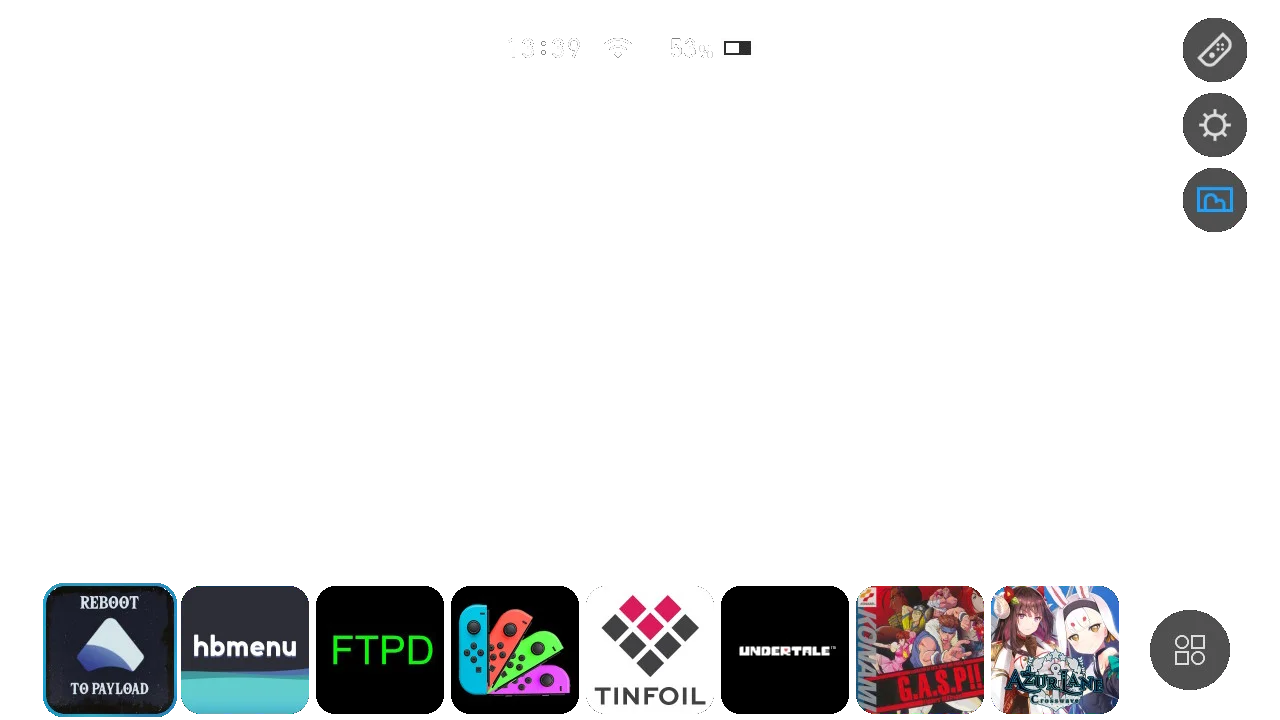
This is the layout I made, based on an NSX layout that was set up quite differently. It was made for my returnal theme but the hud was off center slightly in that so I changed it in my Last of Us 2 theme. It has only what I generally use in it. The shop and news icons were removed and also the user icons were removed. There is now an option to bring back user icons.

Home Menu
Screenshots
Split Rounded
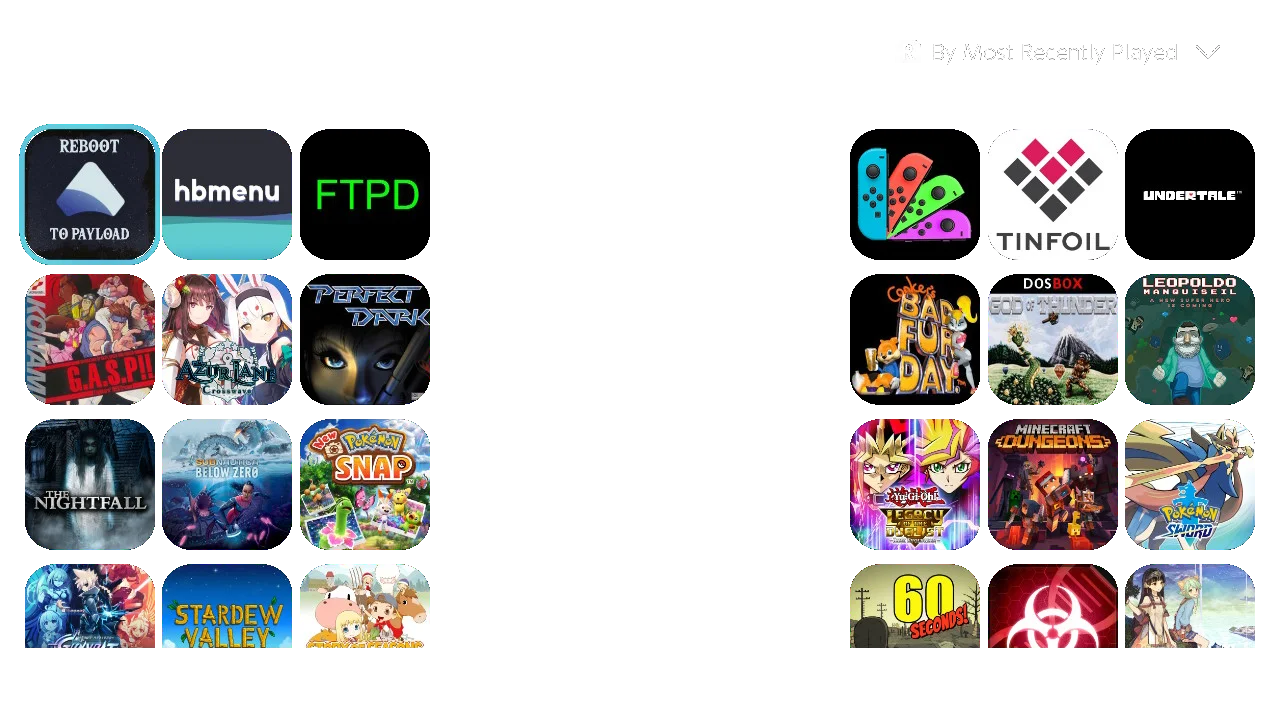
A rounded split all apps layout. The download games button has been removed from the bottom of the page mainly because I never use it myself. There is an option to bring it back though.
All Apps
Screenshots
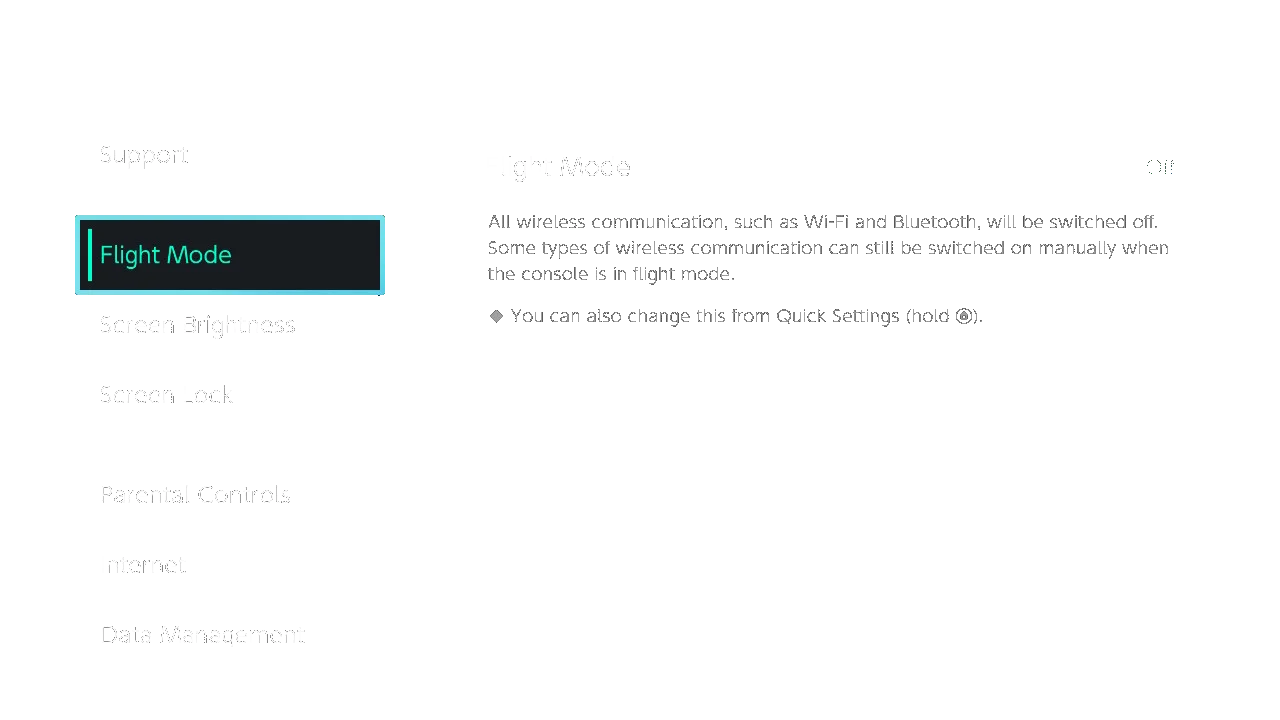
Rearranged Settings
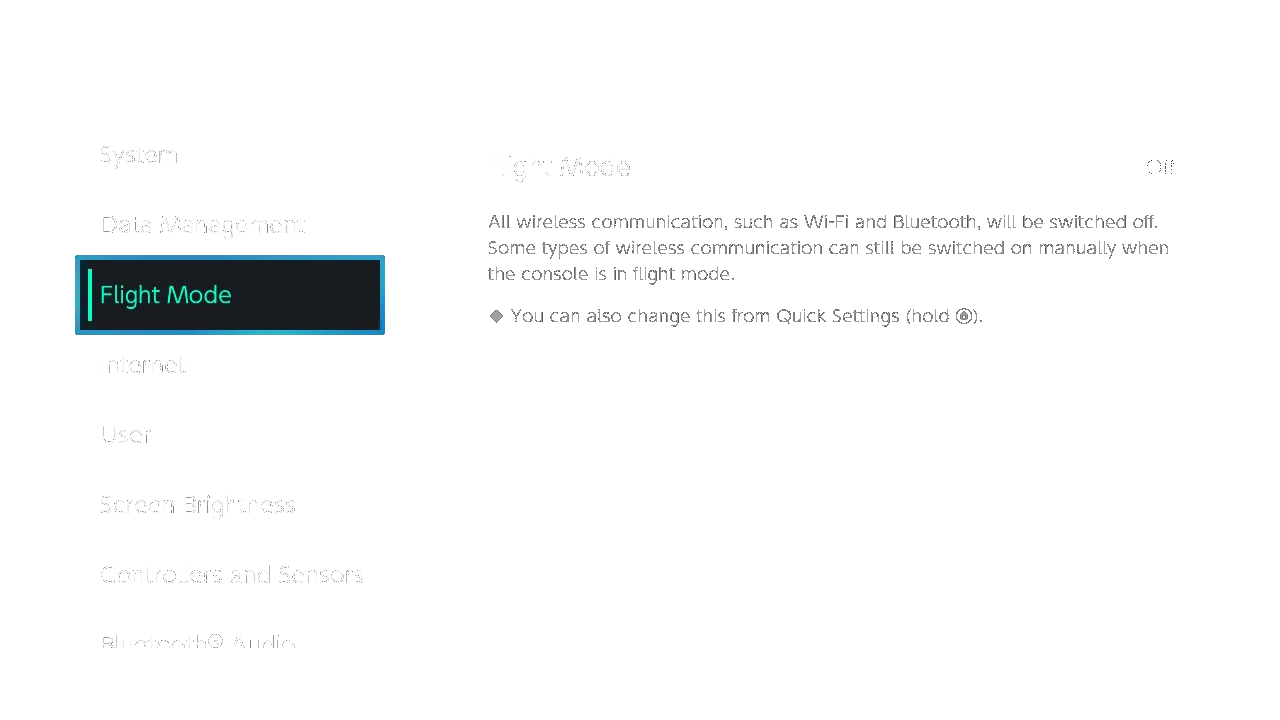
A custom made settings layout that rearranges the settings tabs to the way I prefer. All lines I could find were removed and everything was moved to be the same distance apart. The child lock tab was removed but there is an option to unhide it. I recommend you to remove the entire footer using a custom common layout. That way you can make it look like in the image. You can find it on the Eternal Returnal or Banned layout page. Updated for 13.0 so the bluetooth section isn’t in a random place at the bottom.
Settings
Screenshots
Banned
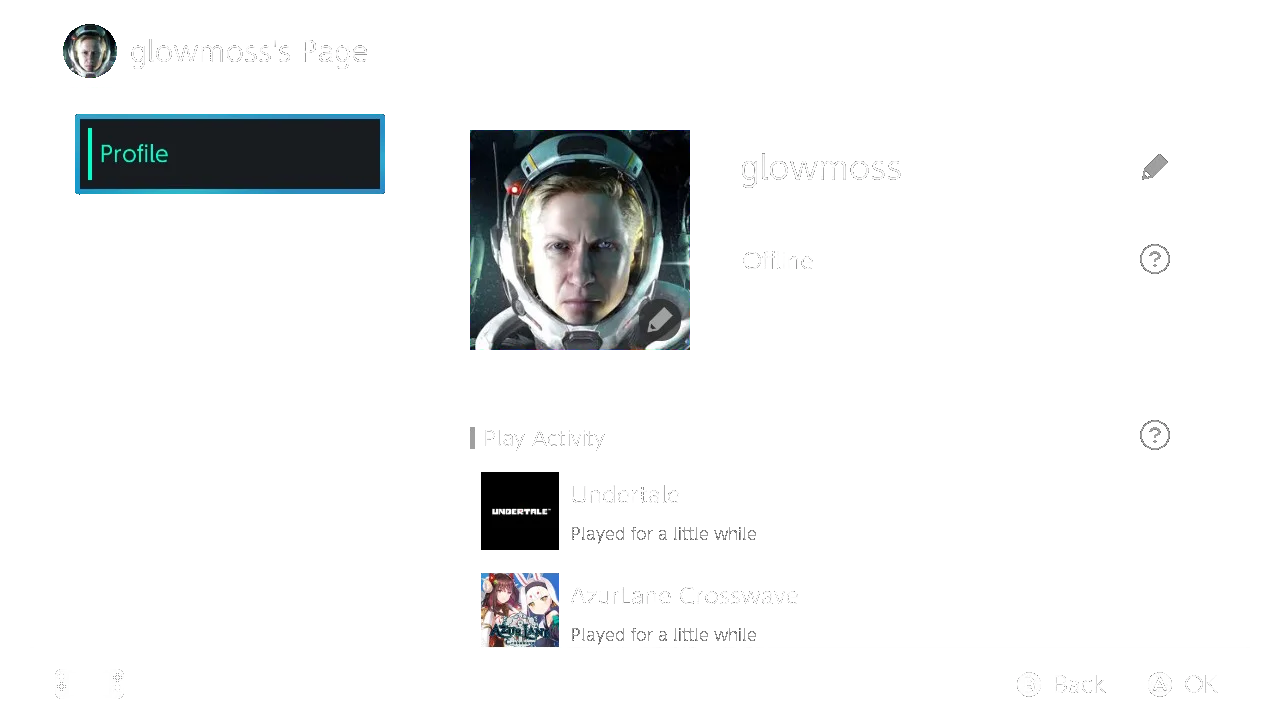
A Banned user page layout with just the profile page.
User Page
Screenshots
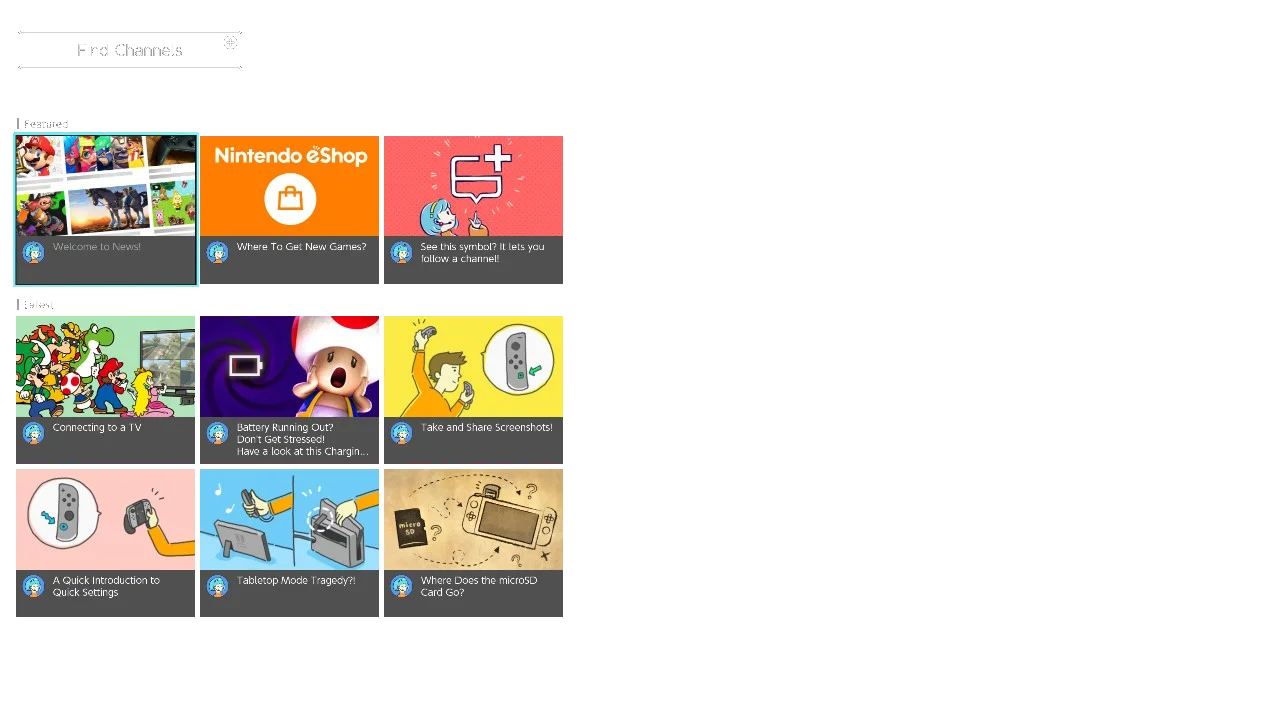
50% Scale Everything to the left and no header
A news layout I made to better show off the background of the theme.
News
Screenshots
No Header
A settings layout with no header. I recommend you to remove the entire footer using a custom common layout. That way you can make it look like in the image. You can find it on the Eternal Returnal or Banned layout page.
Settings