
Click to enlarge preview
Example - Dialog Position Scale Etc.
Created 7/9/2026
0 saves
7 downloads
Home Menu
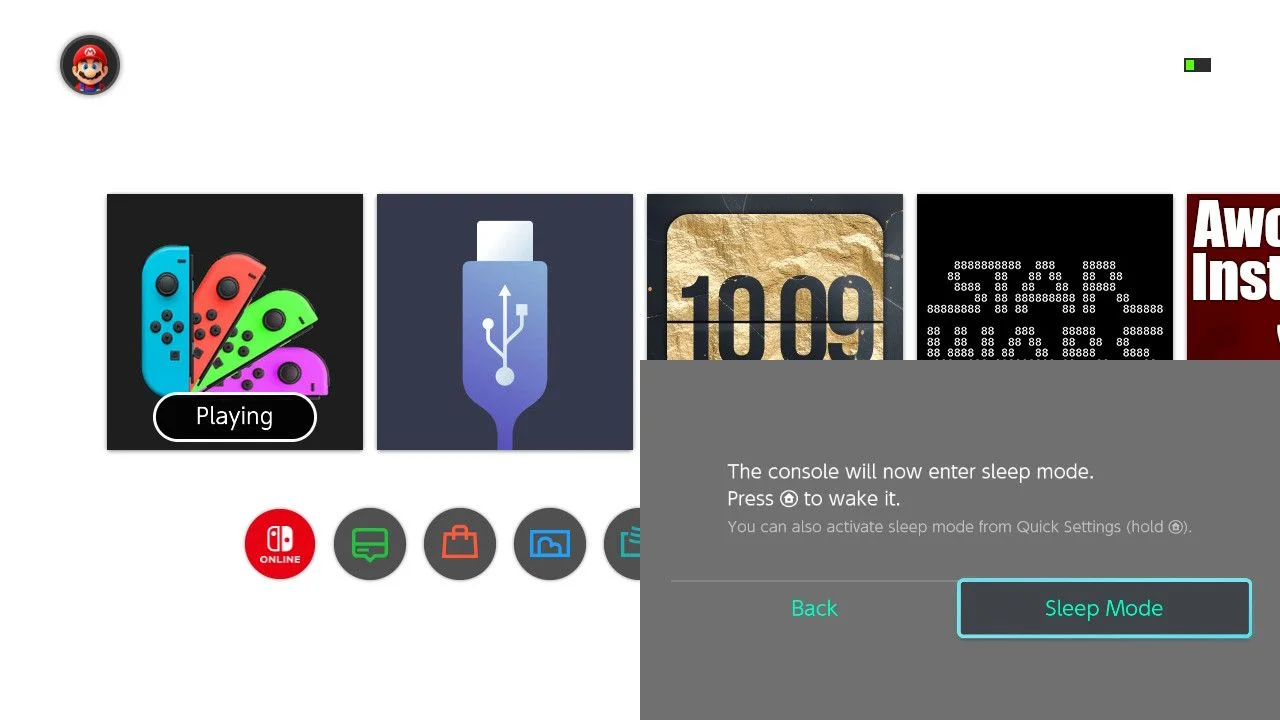
Example for common layouts. Shows you how to move and scale dialogs. Also gives the dialog a fixed size color background. The example moves the dialog to the bottom right quadrent and scales it to 0.75. The background color will also hide hint text in light mode.
Set dialog scale in N_Content. Working range 1.0 to 0.5. Set dialog position in P_Base. Set background position in L_Mask. Set background size in L_Mask, by scaling actual size of 1280x720. Set background material color in P_Mask. Drawback, pane doesn’t do usd colors.

 TBB1E
TBB1EComments